
Installing Apps
Guide to installing iOS/tvOS apps within Impactor.
Prerequisites
- The latest version of Impactor installed.
.ipaof your choice.
Installing an App
Once you have Impactor installed, simply plug in your iOS/tvOS device.
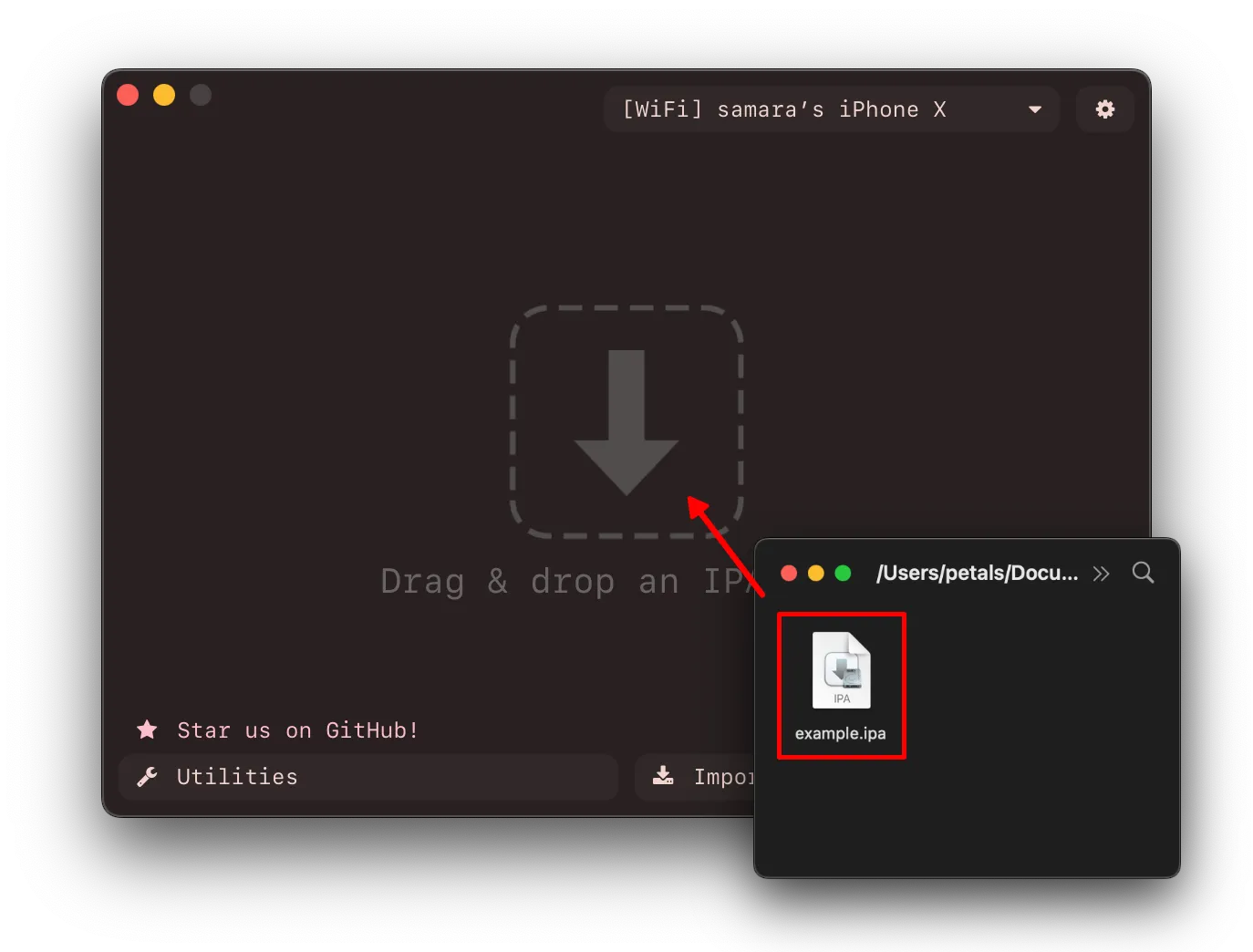
Get your .ipa ready and drag/import it into Impactor.
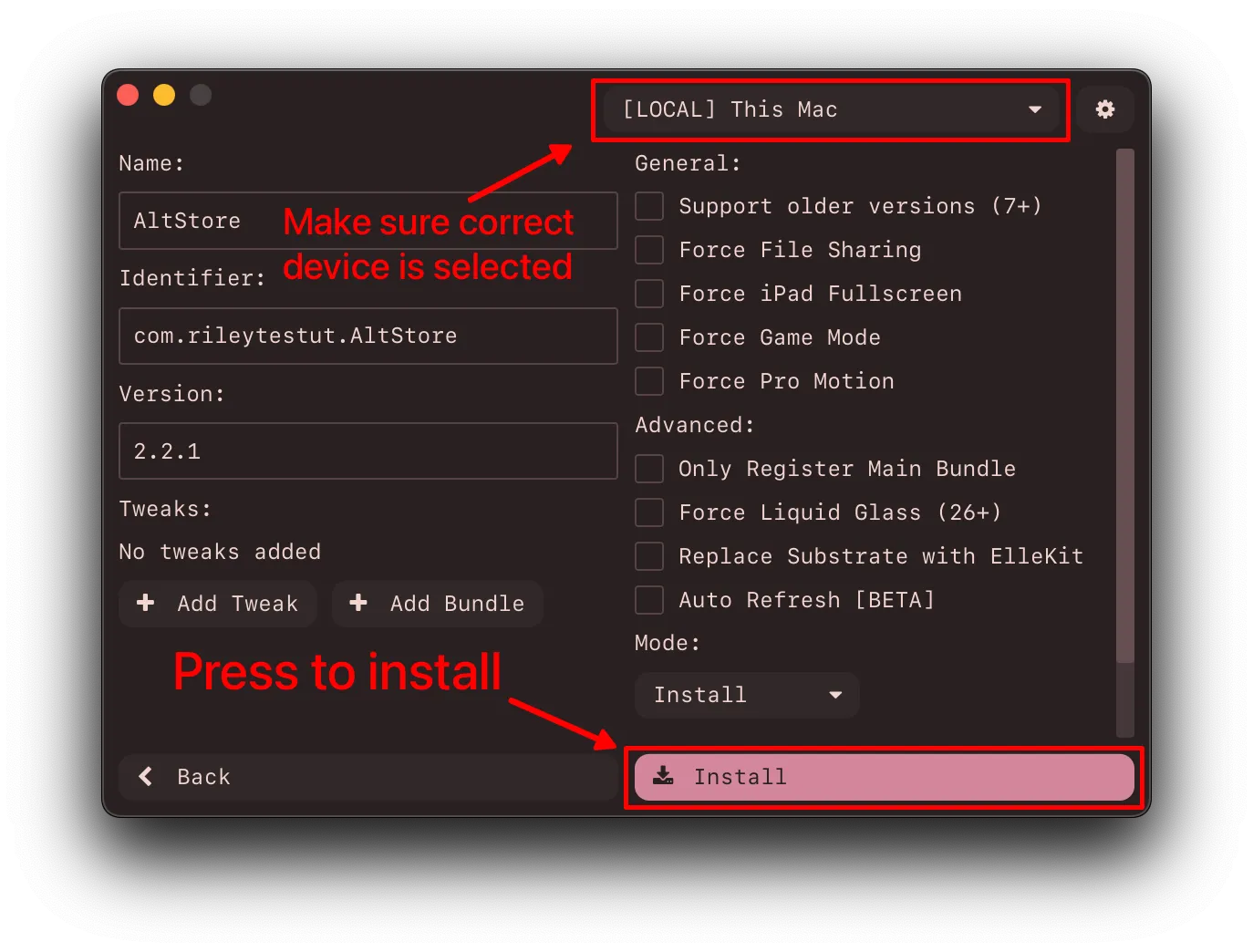
Select all options you desire within impactor, due note that Auto Refresh is in testing.
Once you’re ready, press install.
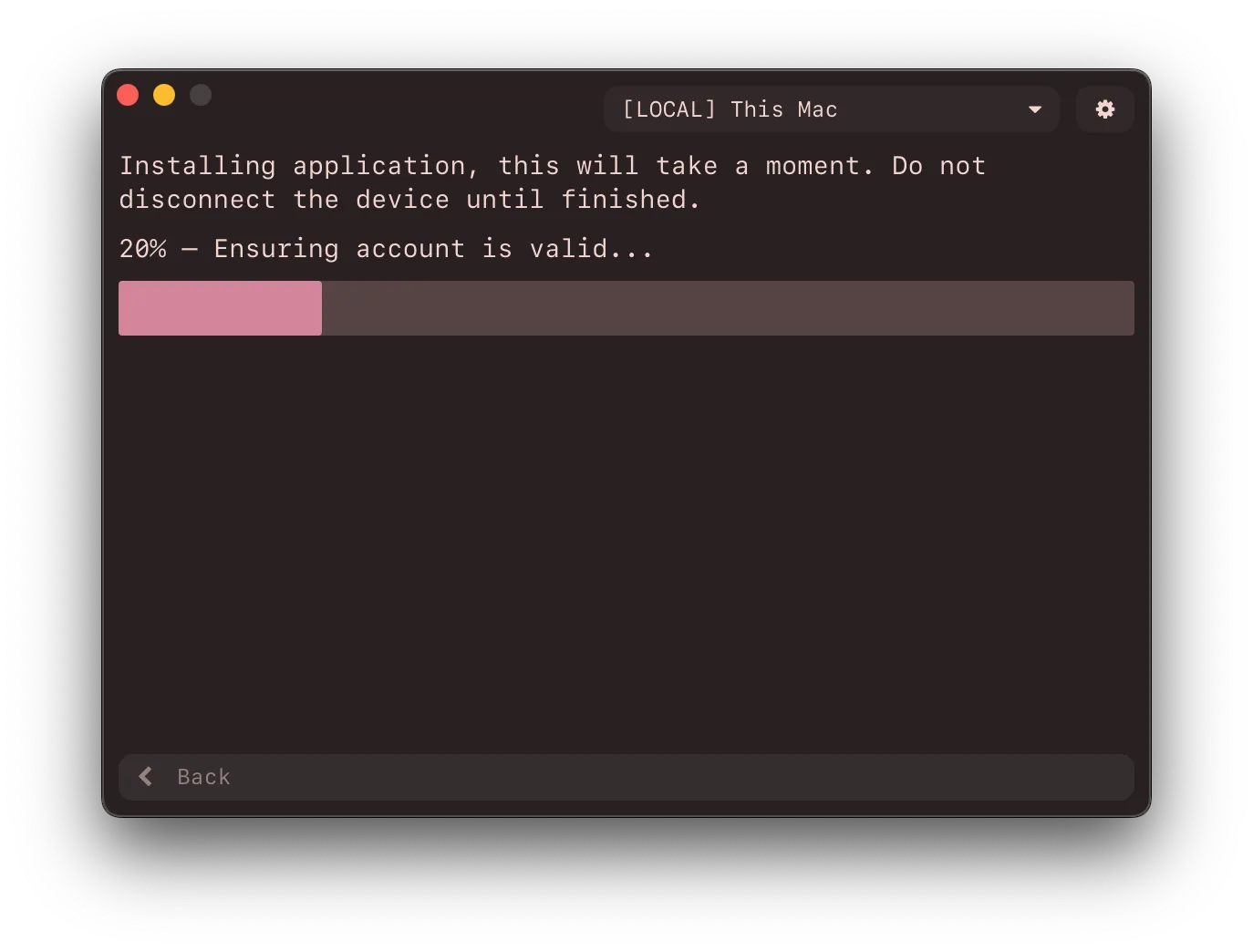
It will now start installing to your specified device!
If you have any issues, check out the Common Issues.