
Exporting Apps
Guide to exporting iOS/tvOS apps within Impactor.
Prerequisites
- The latest version of Impactor installed.
.ipaof your choice.
Exporting an App
Once you have Impactor installed, simply plug in your iOS/tvOS device.
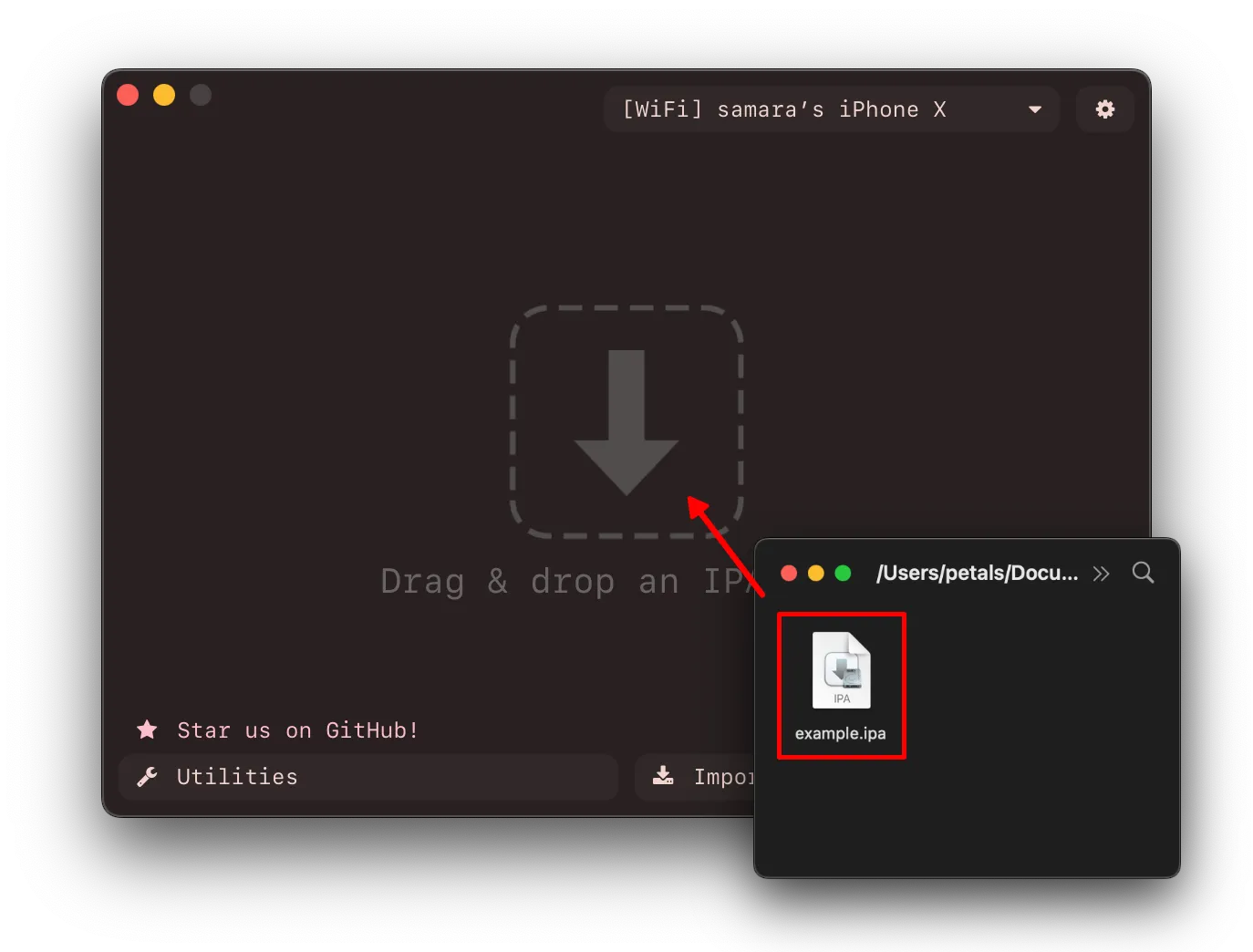
Get your .ipa ready and drag/import it into Impactor.
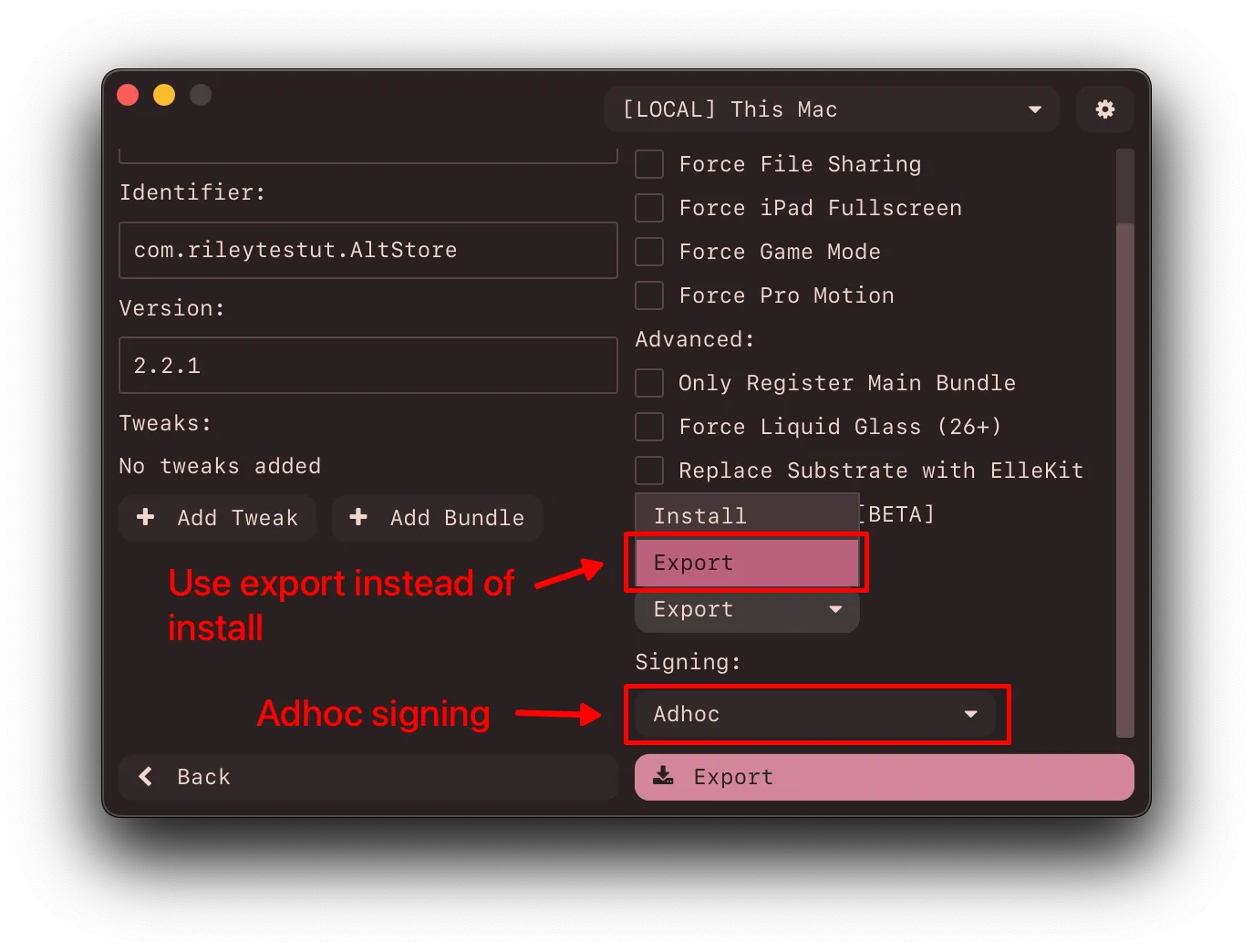
Select Export within Impactor, and Adhoc for signing.
Select your desired modifications, my favorite one personally is Force Liquid Glass (26+).
This to ensure that you’re not signing with your Apple ID and will ensure it exports back into an .ipa file once done with your desired modifications.
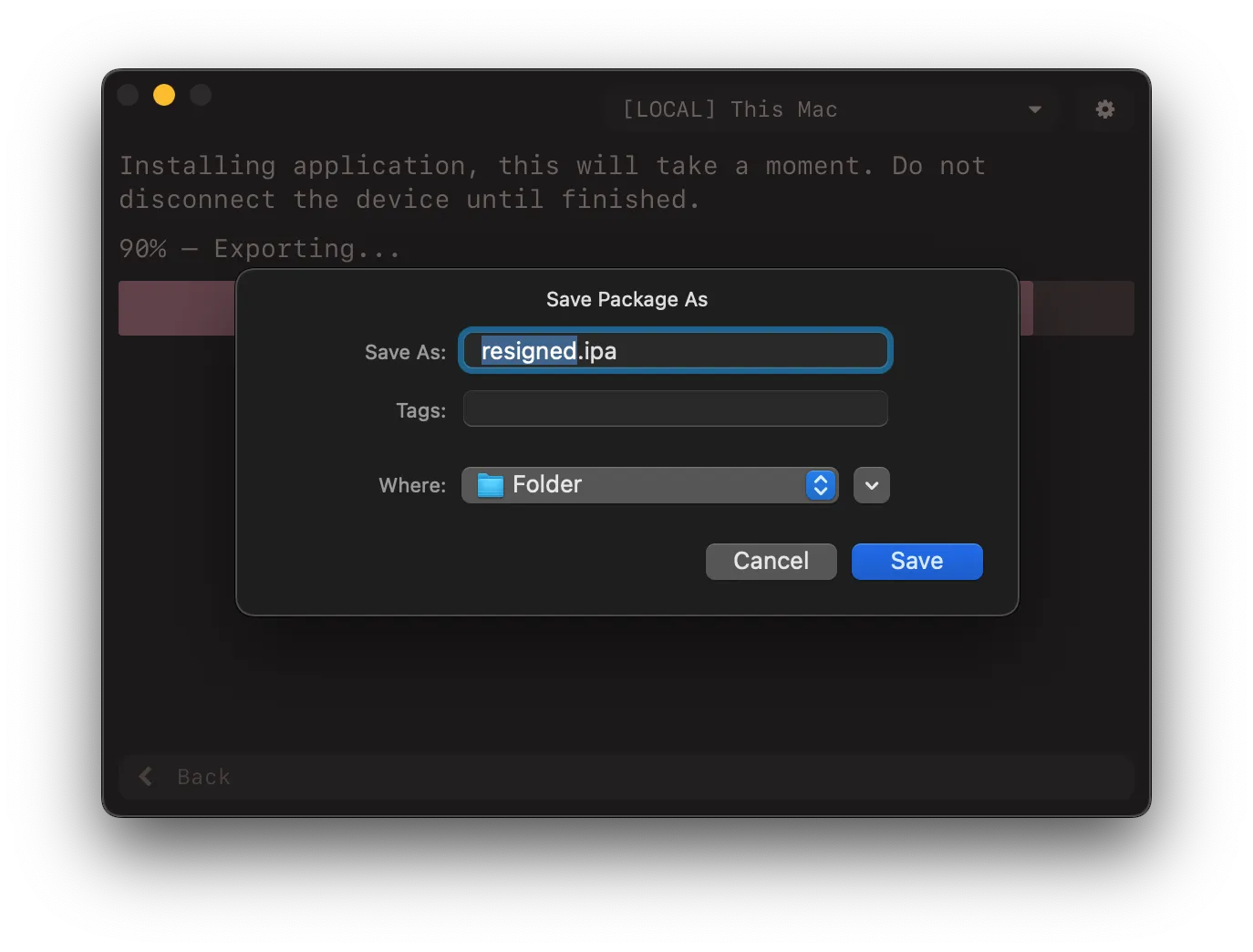
It will now start the exporting process, once finished there will be an export dialog for you to choose your desired name & location for the .ipa file. By default, its named resigned.ipa.
If you have any issues, check out the Common Issues.